
JetX App Download Kenya: Android & iPhone Guide
Searching for a JetX app download? First, know what you are getting: JetX Game runs on mobile through casinos that carry SmartSoft’s game. You may be able to use that casino’s app, add its website to your home screen, or simply play in your browser. This Kenya guide shows how to check each route before you install anything.
We cover Android and iPhone steps, how to recognise the right publisher, what a JetX APK can and cannot be, and where KES and M-Pesa fit in. You will also find a quick comparison and answers to common download questions. The choice is yours; a download is not a requirement for learning the game.
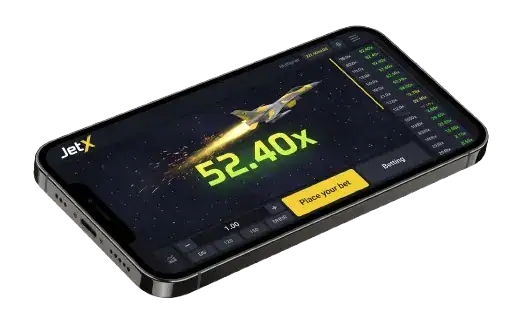
What Does “JetX App Download” Actually Mean?
JetX is a crash game made by SmartSoft Gaming. The developer offers a mobile-responsive game and a demo, while gambling operators provide accounts and real-money access. That is why “JetX app” can refer to several different things: an operator’s Android or iOS app containing JetX, a shortcut to the operator’s mobile website, or the game opened directly in a browser. Check which one a download page actually offers before following its instructions.
There is no universal JetX account or single installation procedure for every casino. The operator decides whether it has an app, whether JetX appears in that app, and which payment methods work for a Kenyan account. Some app-store results with JetX in the name are unrelated to SmartSoft’s casino game. Match the publisher with the operator you intend to use and verify the game in its lobby.
SmartSoft describes the updated JetX game client as 3.9 MB. That figure refers to its game client; it is not a verified size for a casino APK or iPhone download. We also would not assume an installed app uses less data or settles a cash-out faster than a browser. Your connection, the operator’s implementation and the specific device all affect the experience. Start with the route you can verify.
JetX Mobile Access in Kenya: Compare Your Options
A search result headed “JetX APK” is not enough to identify who provides the app. We recommend checking the operator first, then choosing how to open its JetX listing. The Gambling Regulatory Authority of Kenya (GRA) is the relevant regulator for the gambling operator. The supplier’s credentials do not establish that a particular betting website is authorised in Kenya.
This comparison focuses on access routes instead of awarding rankings to apps we have not independently installed or tested:
| Route | What you use | Download needed | What to verify | Useful when |
| Mobile browser | Operator website | No | JetX listing and site address | Checking access first |
| Home-screen icon | Verified operator website | No casino APK | Icon still opens correct site | Wanting quick access |
| Operator app | Verified store or operator source | Yes | Publisher and game lobby | Using that operator regularly |
Start in the operator’s official lobby and search for JetX or SmartSoft Gaming. If the game appears on the mobile site, you already have a way to open it. For an app, look for a download link on that same operator’s verified site and confirm that the listing names the correct publisher. Ask its support team if the game library differs between browser and app. A download screen showing only football bets tells you nothing about JetX availability.
For Kenyan players, check KES account support and the cashier before making a deposit. A site may display M-Pesa for deposits while using different methods or limits for withdrawals. Look at verification rules, transaction fees and bonus eligibility too. A casino app is a container for the game; these terms are set by the operator. The best route is the one whose provider, game listing and account conditions you can verify on your own phone.
JetX App Download for Android: Store, Browser or APK
On Android, begin with a verified operator that actually offers JetX. Google Play permits licensed real-money gambling apps in Kenya under its requirements, although a particular operator may or may not have an eligible listing. You can also open its mobile website without installing an app. If the operator supplies an APK on its own site, treat it as an operator app, not a SmartSoft-issued “JetX APK”.
Do not dismiss a phone warning as a routine formality. An APK from outside a store deserves extra scrutiny, and an app that Android or Play Protect identifies as harmful is a reason to stop. The browser option remains available where the operator supports mobile play.
Use this order to find a route that matches your device and the actual provider:
- Verify the operator: Confirm its Kenyan authorisation, website address and JetX listing before installing anything or creating a gambling account.
- Check Google Play from the operator’s website: If it links to a store listing, compare the developer name and app details with the operator. Search results alone can lead to a similarly named, unrelated app.
- Try the mobile site: Open the verified operator site in Chrome and launch JetX there. If the site supports a web app, Chrome may offer Install or a home-screen shortcut.
- If you consider an APK from the operator, run these checks first:
- Open the download page by typing the verified operator address yourself, rather than following a message or forwarded file.
- Confirm the operator identifies the app and explains where its updates come from.
- Read the requested permissions. A casino app asking for unrelated access needs an explanation.
- Keep Play Protect enabled. Stop if Android flags the file or the publisher does not match.
- Install only a verified operator app you choose to trust. Android may ask you to authorise installation from that specific source; review the prompt carefully. You do not need to switch off device protections to play in a browser.
- Open the operator app and search its games for JetX by SmartSoft. If the game is missing, contact the operator before depositing. Remove an old or questionable download and use the verified mobile website instead.
JetX App Download on iPhone and iPad
An iPhone has two practical access routes: an operator app with a genuine App Store listing, or the operator’s mobile website in Safari. Which one works depends on the operator and your location. There is no Android-style JetX APK to install on iOS. Begin at the verified operator website so that a similarly named App Store result does not lead you elsewhere.
Route one: check for an operator app.
- Visit the operator’s official site on your iPhone and look for its iOS link. Check that the site actually lists JetX before proceeding.
- Open the linked App Store page and compare the developer name with the operator’s published app details. Names and icons alone are not enough.
- Install the app if the listing and operator match. After opening it, search the casino lobby for JetX by SmartSoft Gaming.
Route two: add the verified mobile website to your Home Screen.
This gives you a convenient icon for the website. It does not turn a third-party page into a SmartSoft app or make a casino licensed. Apple’s current Safari instructions allow you to add a website and choose “Open as Web App” where available.
- Open Safari on your iPhone or iPad. Use the verified address of the operator whose JetX listing you checked.
- Navigate to the page from which you want the icon to open. Sign-in requirements will remain those of the operator.
- Tap Share in Safari. On some layouts, you may first need to open the page menu to find Share.
- Select Add to Home Screen. If the option is missing, check Safari’s Edit Actions menu.
- Use a name you will recognise, such as the operator’s name. Enable Open as Web App if Safari offers it, then tap Add.
- Open the new icon and confirm it reaches the expected website. A home-screen icon is an access shortcut; you still need an internet connection for live JetX rounds.
JetX App or Mobile Browser: Which Should You Use?
The browser is a sensible starting point because it lets you check the game and the operator’s terms without installing another app. An operator app can be convenient if you already use that casino and its mobile lobby includes JetX. Neither route changes the crash-game rules or makes the next multiplier easier to predict.
SmartSoft says its newer JetX client is lighter and loads faster than the earlier game client. That is a comparison of SmartSoft versions, not proof that every operator app beats every browser. On either route, test the controls and connection before wagering in KES. Pay attention to these practical differences:
- Loading and connection: A saved icon or installed app may be quick to open, but the round still depends on an active connection. If taps are delayed, do not assume a manual Collect request was accepted; check the recorded result.
- Data and storage: App size includes the operator’s features, while web content may be cached by your browser. SmartSoft’s 3.9 MB figure describes the updated game client, not your full download or monthly data use.
- Login and privacy: Biometric sign-in is available only if the operator’s app and your device support it. A browser may also remember a session. Lock shared phones and use the operator’s account security controls.
- Notifications: Casino alerts are optional where supported. Turn them off if they encourage unplanned sessions. Offers still need their own terms; a push message does not guarantee a JetX bonus.
JetX Predictor APKs and Fake Download Links
“JetX Predictor App” and “JetX hack APK” are common search phrases around this game. A download page may promise the next crash point, a guaranteed multiplier or special access after you pay an activation fee. Those claims should not be used to choose real-money bets. The results displayed from previous rounds describe what happened already; they do not establish what the next flight will do.
Watch for these signs when assessing an unfamiliar download:
A familiar logo can be copied. Confirm the operator address and app publisher instead of trusting artwork or testimonials.
- Prediction claim: A chart, countdown or “VIP signal” is not proof of future accuracy. A few winning screenshots can omit every failed call. We have not verified a third-party app that can forecast JetX outcomes.
- Credential request: Do not enter a casino password, one-time code or M-Pesa PIN into a predictor. Be cautious if it asks you to install a separate tool or give remote access to your phone.
- Safer response: Close the download, return to the operator’s verified site and check its game lobby. If you already installed a suspicious app, remove it and change any password you entered there.
JetX Mobile Features: What the New Game Supports
SmartSoft’s September 2026 update describes a lighter mobile-responsive game client, up to four simultaneous bets, advanced Autoplay and Auto Cashout, round history, live player information and moderated chat. These are game capabilities; the operator decides which version and optional tools appear in its mobile lobby. The screen you see matters more than an outdated screenshot in a download guide.
Screen layout and controls:
The flight multiplier should be easy to read, and you should be able to identify the correct bet panel before submitting a stake. A smaller phone may display controls differently from a tablet. Try a demo if offered.
- Portrait view: Check whether the stake box, active wager and Collect button are visible at the same time. Do not rely on a guide’s button positions if your operator uses another version.
- Landscape view: Rotating the device may give more space for history or live information. Availability and layout depend on the game build and your device settings.
Autoplay and cash-out settings:
Auto Cashout can carry out your preset collection if the flight reaches the target. Autoplay can repeat wagers. Neither setting prevents an early crash, so review the total KES amount that repeated bets could use.
- Choose a stake you can track, such as KSh 50 if it is permitted by your operator. That is an example, not a published minimum for all JetX versions.
- Set the desired Auto Cashout multiplier before the round and confirm which panel it applies to. If the flight ends before that value, the bet loses.
- If you enable Autoplay, find its stop control and check the number of rounds. Leaving the phone aside does not stop money being committed where repeated betting remains active.
History and chat on mobile:
Round history helps you check a completed wager. Chat is optional and may be moderated where available. Neither other players’ bets nor a run of earlier multipliers predicts the next result. If your screen is crowded, focus on your stake and collection settings first. No wahala if a feature shown in SmartSoft’s materials is absent; check the operator’s current build before relying on it.
JetX Login, KES Wallet and M-Pesa on Mobile
The app or mobile site belongs to the casino operator. It handles registration, verification, KES balances and payment methods; SmartSoft supplies JetX itself. Before opening a real-money account, verify the operator’s Kenyan authorisation and review its terms. The basic process varies, but these checks keep it clear:
- Open the verified operator app or mobile website and select its registration option. Do not use a link from a supposed JetX support agent.
- Provide the details requested by the operator, which may include a phone number and identity information. Follow its age and account checks.
- Check whether the cashier supports Kenyan shillings and whether JetX appears in the games lobby. Confirm both before transferring money.
- Read any promotion terms before applying a code. A welcome offer may exclude crash games or limit how their bets count.
- If you decide to deposit, use the cashier shown inside the verified operator account:
- Open Deposit and check the permitted amount, fees and displayed KES balance.
- Select M-Pesa only if the operator lists it as an available method for your account.
- Enter an amount within that operator’s current limits and your planned budget; there is no universal KSh 100 minimum.
- If a payment prompt arrives, confirm the merchant and amount on your own phone before authorising it.
- Check the transaction record and wallet credit. Do not send another transfer while an earlier one is pending.
JetX App Download FAQ for Kenyan Players
Is JetX App free to download in Kenya?
JetX can be opened on a mobile website, so there is no required JetX download fee. Any operator app should identify its publisher and show its installation terms. A site asking you to pay an unrelated person for a “JetX APK” or activation code gives you a reason to stop and verify the source.
Can I play JetX demo on a phone?
SmartSoft provides a JetX demo, but an operator may enable, limit or require registration for free play in its own lobby. Open the game and look for a demo or practice option before depositing. Virtual credits cannot be withdrawn as KES, and demo results do not predict your paid results.
Does JetX use a lot of mobile data or battery?
It depends on your phone, screen brightness, network and how long the game stays open. We did not measure battery use for a particular operator app. If power matters to you, compare a short browser or demo session on your own device and close other background apps. Do not assume every operator offers a low-animation switch.
What Android version does the JetX app need?
There is no universal Android version requirement for “JetX APK,” because operators provide different apps. Check the minimum Android version on the specific operator’s Google Play listing or download page. If your device is unsupported, try the operator’s mobile website where available. SmartSoft’s game-client size does not establish an Android compatibility guarantee.
Is it safe to deposit through a JetX casino app?
Before depositing, confirm the operator’s authorisation, the correct app publisher or website address, and its KES and M-Pesa terms. Approve a payment only when the merchant and amount match your intention. JetX itself does not process deposits. Keep your M-Pesa PIN and account codes private, and check the operator’s withdrawal conditions too.